Features · Business records
The screens a business runs on.
Each one a page of JSON.
A quotation, an invoice, a legal case, an employee: the record screens an ERP is made of, with their status, their buttons, their lines and their conversation. This one is live. Send it, change a quantity, confirm it.
Around the sheet
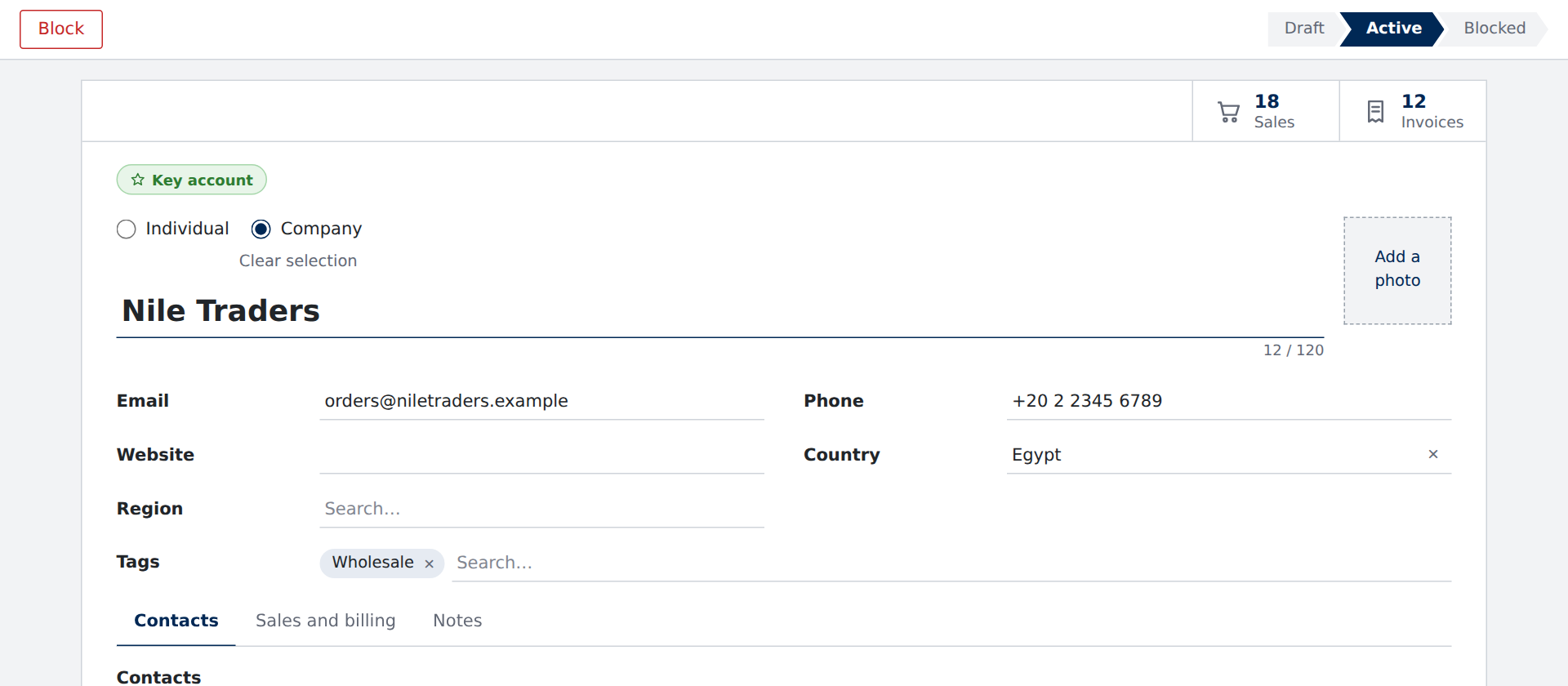
The status, the buttons and the counts, where people look first
A record says where it stands before anyone reads a field. The status bar moves as the record does, the buttons are the ones that make sense now, and the counters open what belongs to it.
- A status bar, clickable where the page allows, folding its later stages on a phone
- Buttons shown and hidden by the record’s state, each running its steps
- Stat buttons that count and open related records: sales, invoices, hours, money
- Badges, ribbons such as Archived or Paid, and alerts with their own buttons
Lines that add up
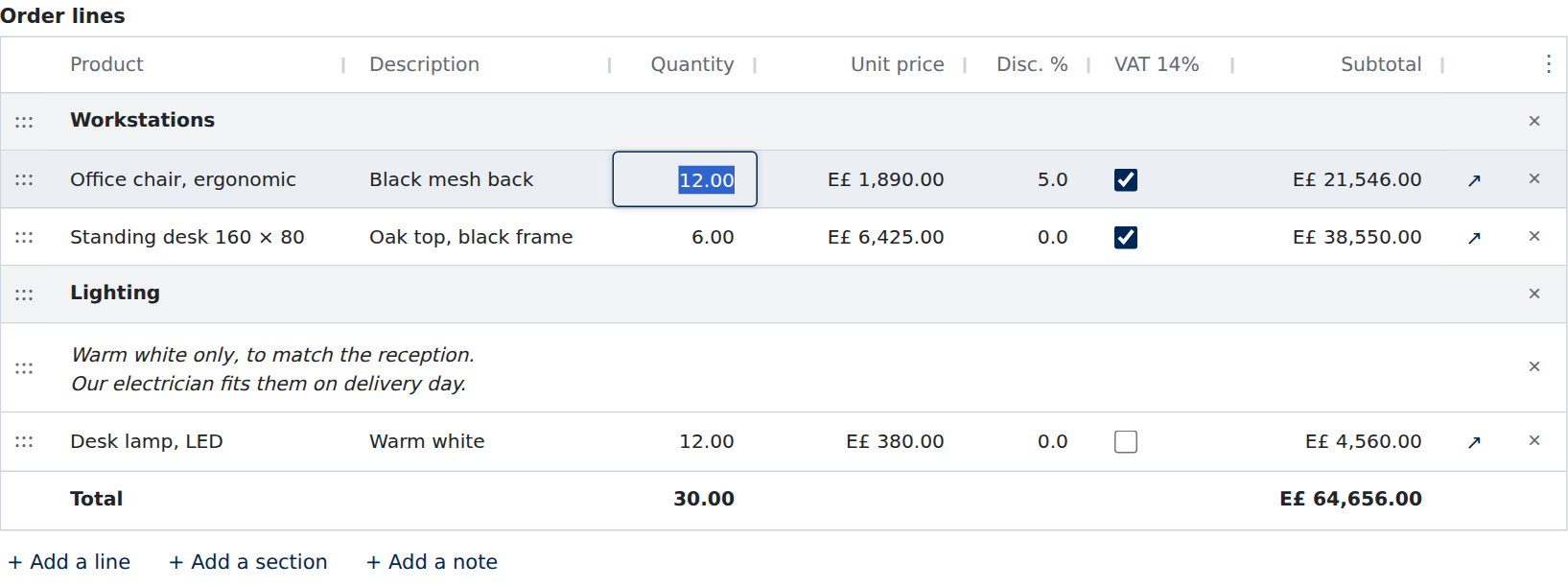
Order lines that work like a spreadsheet
Quantities, prices, discounts and taxes on lines, with subtotals and totals worked out as people type. Lines move by hand, group under sections, and carry notes.
- A spreadsheet grid, or a plain table where the app has no grid: Enter goes down, Tab goes across
- Sections and notes between the lines, and lines dragged into order
- Columns shown or hidden from a menu, remembered for the next visit
- Each line opens in a dialog with all of its fields; totals follow every keystroke
A real form’s layout
As much as the record holds, still easy to read
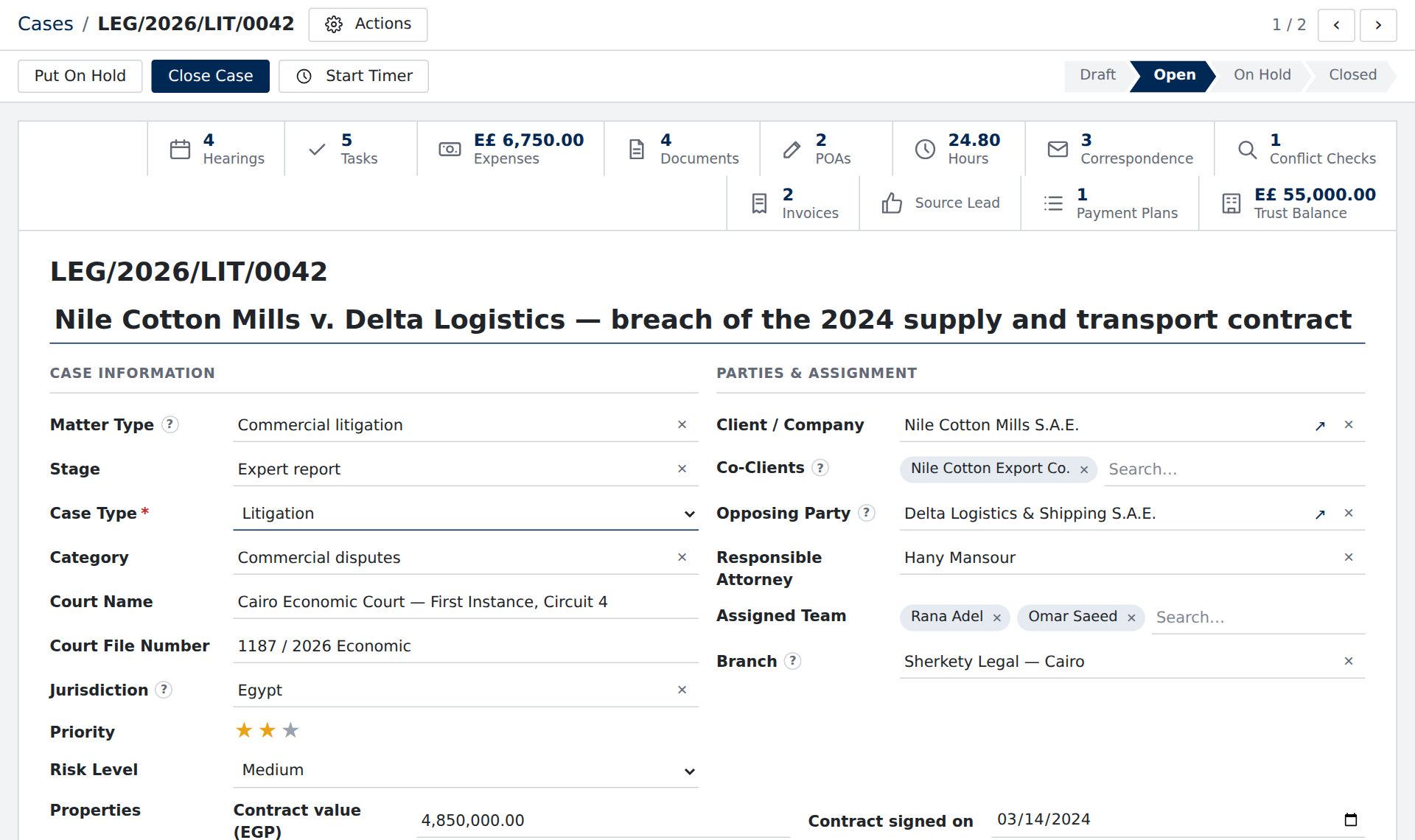
A legal case, rebuilt from a working ERP: thirteen counters, two columns of groups, labels beside their values, fifteen tabs and twelve tables. The same JSON format that draws a three-question survey.
- Groups side by side on a twelve-column grid, stacking on a phone
- Labels beside their values, or above, as the page asks
- Tabs, folding sections, and fields above and below the title
- Properties: fields a person adds to one record without changing the page
The conversation beside it
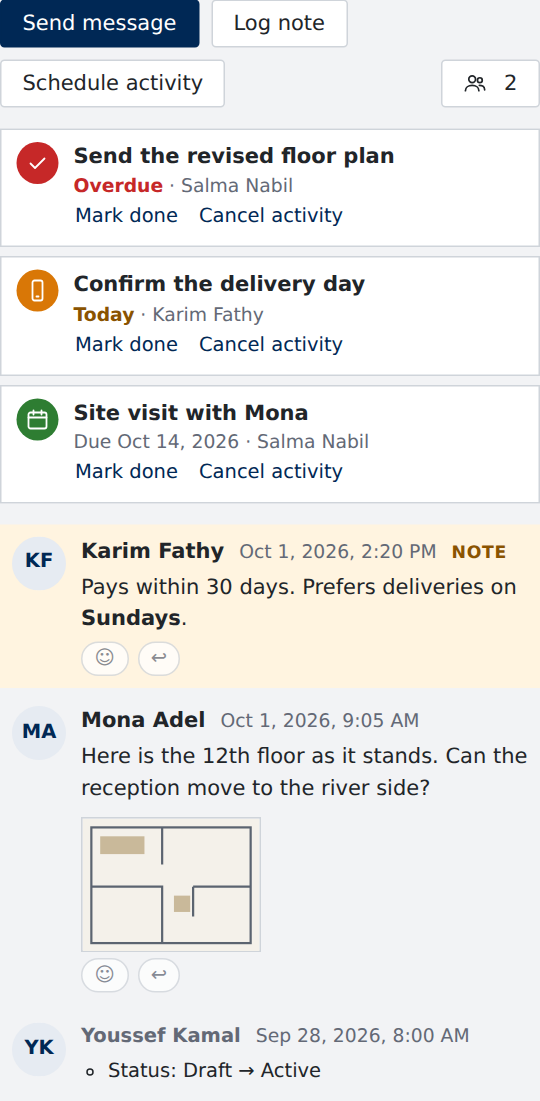
Messages, notes and to-dos on the record itself
Everything said about a record stays with it: who wrote what, what is due and who follows it. It sits beside the sheet on a wide screen and under it on a narrower one.
- Messages and internal notes, with @mentions, files, replies and reactions
- Scheduled activities, marked overdue, today or upcoming, done from the list
- Followers, and changes to the record written into its history
- Your server behind it, through a small source of its own
Its place among the others
The record’s file beside it, and the way to the next one
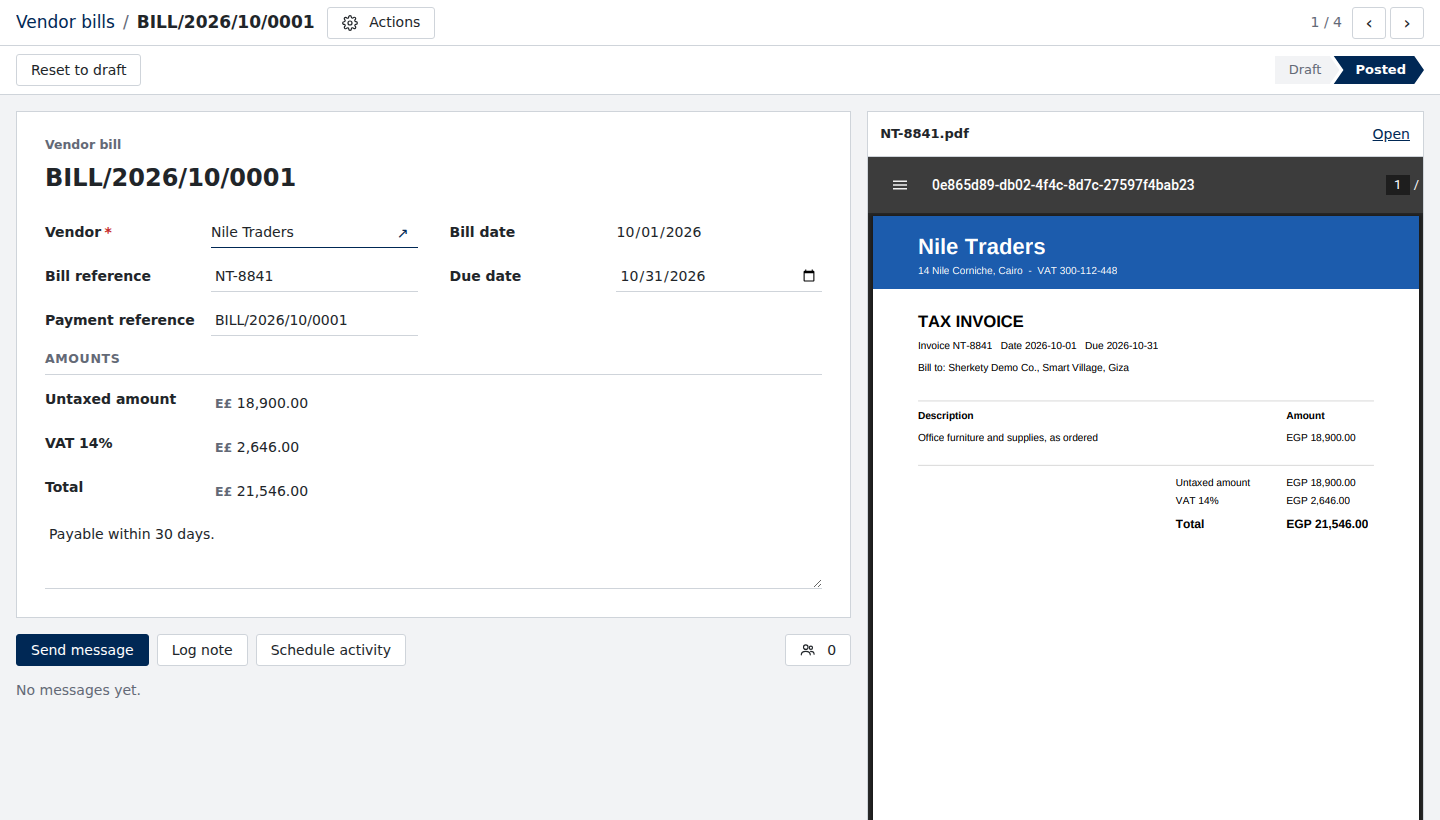
A vendor bill with the bill itself beside it, the trail back to the list, and a pager to the next one. The gear menu prints it, archives it, duplicates it or deletes it, each kept to the records it suits.
- A PDF or a picture beside the sheet, from the record’s files
- Breadcrumbs back to where the person came from, and a pager through the list
- A gear menu: print, archive, duplicate, delete and your own actions
- Each shown only where it applies: no Delete on a posted bill
Kept right
What a record needs to be trusted
- Server checksYour server’s answer to a changed field fills in the others; a save it refuses puts each problem on its field.
- Nothing lostUnsaved changes are kept when the person leaves, and Ctrl+Enter saves from anywhere.
- By roleFields, buttons and tabs shown, hidden or locked by who is looking, and whole records locked once done.
- Said clearlySaving, saved and failed are said where the person looks, and to screen readers.
Start from one
8 record templates, and nineteen real ERP screens
Take a template as JSON and change it, or open one of the nineteen screens rebuilt from a working ERP to see how far a page goes.
Build your first record in an afternoon
Write the page, give Fieldia a data source for your backend, and mount it in plain JavaScript, React, Vue or Angular.